Google Converts PDFs to HTML Before Indexing and Ranks Them Like Any Page, Splitt and Mueller Explain
Google Search runs PDFs through a converter that produces HTML during indexing, so PDFs are ranked like other pages and can appear in AI Overviews and AI Mode, Martin Splitt and John Mueller said on Search Off the Record on 13 October 2026. They also covered limits, canonicalization and common pitfalls.
 Vibhu Dhariwal
Cofounder & CTO, Digital Gratified
- Published
- Section
- Explainers
- Reading time
- 5 minutes
Ras Al Khaimah, United Arab Emirates, .
Google Search turns PDF files into HTML before they are indexed, and from that point PDFs are ranked like any other page, including in AI Overviews and AI Mode. Martin Splitt and John Mueller of Google's Search Relations team set out how the pipeline works in episode 115 of the Search Off the Record podcast, released on 13 October 2026, along with the most common ways PDFs go wrong in Search. This explainer is based on Google's published transcript of the episode.
How Google processes a PDF
Splitt explained that a PDF is a binary container, not a plain text format like HTML or Markdown. Google does not read it with a PDF viewer. Instead, a component called a converter runs during indexing, right after rendering and before a document can make it into the index. Google has converters for several formats, Splitt said, naming rich text files, document files, Excel sheets and Lotus Notes documents as well as PDFs. Each one produces an HTML version so the rest of the web pipeline can work with HTML.
That conversion has practical results:
- Links survive. Because the PDF becomes an HTML representation, Google sees links in it, Splitt said.
- Ranking is the same. Asked whether converted PDFs rank normally, Splitt said "indexing and ranking is pretty much the same as any other document."
- AI features are included. Splitt said that because a PDF is internally a normal HTML page, it can also appear in AI Overviews and AI Mode. Mueller added that he has seen PDFs referenced in other AI systems too.
- Embedded images are a weak spot. Splitt's understanding is that Google knows an image is there but probably cannot process it like a normal image for image search, because the image has no URL of its own. He added that this may change.
What Google said about each PDF problem
| Issue | What the Googlers said | Suggested action |
|---|---|---|
| Rasterized or scanned pages | Pages saved as images lose their text; Google cannot see that content, and OCR on scans cannot be relied on. | Select all text in the PDF and paste it into a text file. If nothing appears, the text is not indexable. |
| Identical copies on other sites | A PDF is a "binary blob", so copies elsewhere are exact duplicates, which makes canonicalization harder. | Send a rel="canonical" link in the HTTP header, and link to your site from the top of the PDF. |
| Updates | Google treats PDFs much like images and does not expect them to change often, so it refetches them less often. | For a material change, publish the file under a new file name. Set sensible HTTP caching. |
| Auto-generated print PDFs | Old PDF copies can stay indexed and compete with the live HTML page. | Keep frequently changing PDFs out of crawling and indexing. |
| Password protection | Search engines cannot read password-protected content. | Use it, or robots.txt, only when you want the content kept out. |
| Mobile experience | PDFs must download fully before display and often do not reflow when zoomed. | Prefer HTML where the content does not need a fixed layout. |
The size limit question
Asked about size limits, Splitt said he did not know the specific limit for PDFs. He assumed it is larger than the limit for HTML, as it is for images and video, and said Google is reluctant to document such numbers because they can change and old figures circulate for years. Mueller suggested SEOs could test it themselves with a long public-domain book.
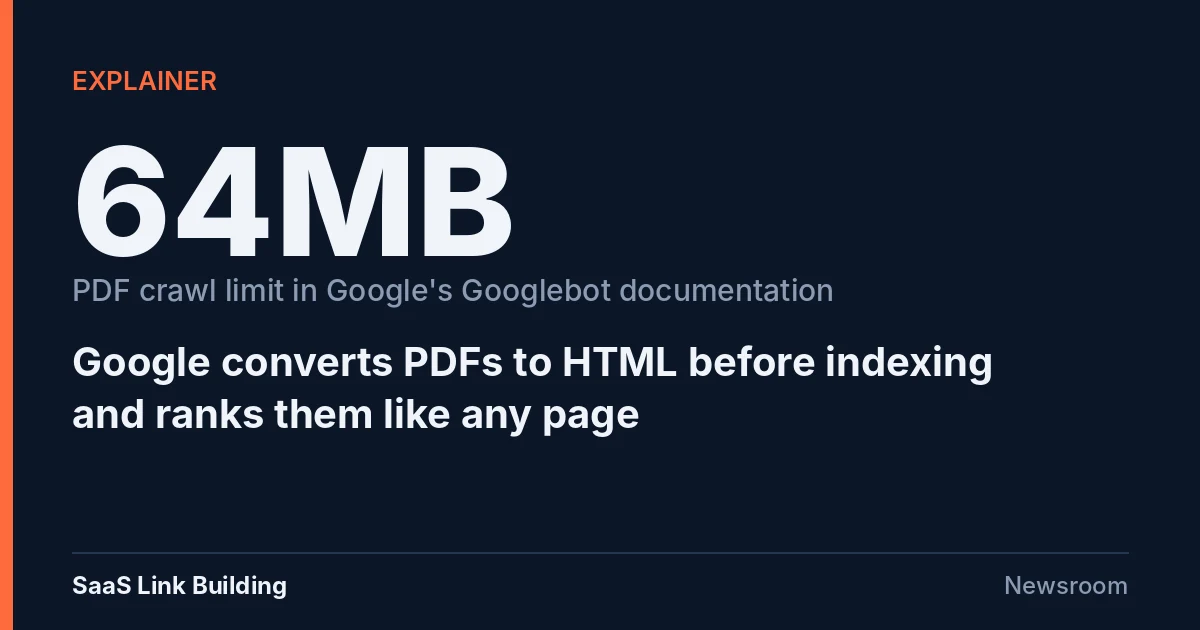
Google's own documentation does give a figure today. The Googlebot documentation, last updated on 3 February 2026, says that when crawling for Google Search, Googlebot crawls the first 2MB of a supported file type and the first 64MB of a PDF. Separately, the overview of Google's crawlers and fetchers sets a default of 15MB per file and notes that individual products can set different limits for different file types. Given Splitt's comments, treat the 64MB figure as current documentation that could change, not a permanent rule.
Very long PDFs carry a separate ranking challenge. Mueller noted that a whole book in one PDF is like a whole book on one HTML page: search engines struggle to tell which passage the document should rank for.
When a PDF makes sense
Both speakers said HTML is their preference but PDFs are fine when the content calls for them: documents with strict print formatting, forms people fill in, and long formatted material. On the long-running restaurant menu question, Mueller said a PDF menu is better than no menu, while an HTML menu is easier to use, zooms and reflows on mobile and loads faster. If the PDF's text can be selected and copied, he said, Google can use it for Search.
The episode also answered a question that keeps coming up: whether to save an llms.txt file as a PDF. Splitt's answer was a clear no, because the point of llms.txt is to offer content in the simplest possible form. Google's documentation changelog already notes, in a June 2026 entry, that llms.txt files are not needed for Google Search.
What to do
- Audit indexed PDFs with the copy-and-paste test and replace image-only files with text-based versions.
- Fill in PDF metadata, such as author and description, and add a visible link back to your site near the top of each file.
- Where the same PDF is hosted on partner or reseller sites, send a rel="canonical" HTTP header from your copy.
- Publish substantive revisions under a new file name and link to it, rather than overwriting the old file and waiting for a refetch.
- Remove CMS-generated "print as PDF" versions of live pages from crawling, since browsers already let users save pages as PDFs.
- Keep very large documents within the documented 64MB PDF limit, or split them, and do not bury important content deep in long files.
Conclusion
Google's message is that PDFs are not second-class in Search: once converted to HTML, they are indexed and ranked like other pages and can surface in AI Overviews and AI Mode. The risks are practical ones, such as image-only pages, duplicate copies, slow refreshes and poor mobile use.
For content that does not need a fixed layout, both Googlers still prefer HTML. For forms, print documents and long formatted material, a well-built, text-based PDF is a sound choice.
Questions and answers
Does Google rank PDFs differently from HTML pages?
No, according to Martin Splitt. On Search Off the Record episode 115 he said indexing and ranking of PDFs is pretty much the same as any other document, because Google converts them to HTML during indexing.
Can PDFs appear in AI Overviews and AI Mode?
Yes. Splitt said that because a PDF is internally a normal HTML page after conversion, it can appear in AI Overviews and AI Mode.
What is Google's file size limit for PDFs?
Google's Googlebot documentation says Googlebot crawls the first 64MB of a PDF when crawling for Google Search. On the podcast, Splitt said he did not know the specific PDF limit and that such limits can change.
How can I check whether my PDF text is indexable?
Splitt suggested selecting all text in the PDF and pasting it into a text file or document. If no text appears, the pages are likely rasterized images and Google cannot see the content.
How should I update a PDF so Google picks up the change?
John Mueller said Google refetches PDFs less often than HTML, so for a change it can make sense to publish the file under a new file name and link to it.
More releases
-
Industry news
Search Console Hit by 64-Hour Data Delay and a Date Picker Stuck in 1969; Google Log Lists 10 Issues in 2026
Google Search Console's Performance report fell more than 64 hours behind on 11 October, and its custom date picker failed on 13 and 14 October. Both problems cleared without public comment from Google. Google's own data anomalies log lists ten known issues for 2026, four of them Discover logging errors.
-
Studies
Google Changed Its Search and Crawling Documentation 52 Times in 2026, Our Changelog Analysis Finds
Google logged 52 changes to its Search and crawling documentation between January and mid-October 2026, according to a SaaS Link Building analysis of both official changelogs. July was the busiest month with 10 entries, and crawling, structured data and new Search features accounted for most of the activity.
-
Updates
Chrome Adds Experimental Soft Navigation Core Web Vitals to CrUX, With Search Console Switch Aimed for 2027
Chrome has added experimental versions of LCP, INP and CLS that count soft navigations to the Chrome User Experience Report, starting with the October 2026 release. Stable Core Web Vitals are unchanged, and Chrome aims to graduate the metrics in May 2027, when Search Console is set to switch to the new data.
Tell us the site and the goals.
Rankings in Google and visibility in AI answers, from one monthly plan. One call is enough to say which one fits. Email works just as well.