Chrome Now Warns All Users Before HTTP Connections; Nearly 95% of Desktop Users See No Weekly Warning
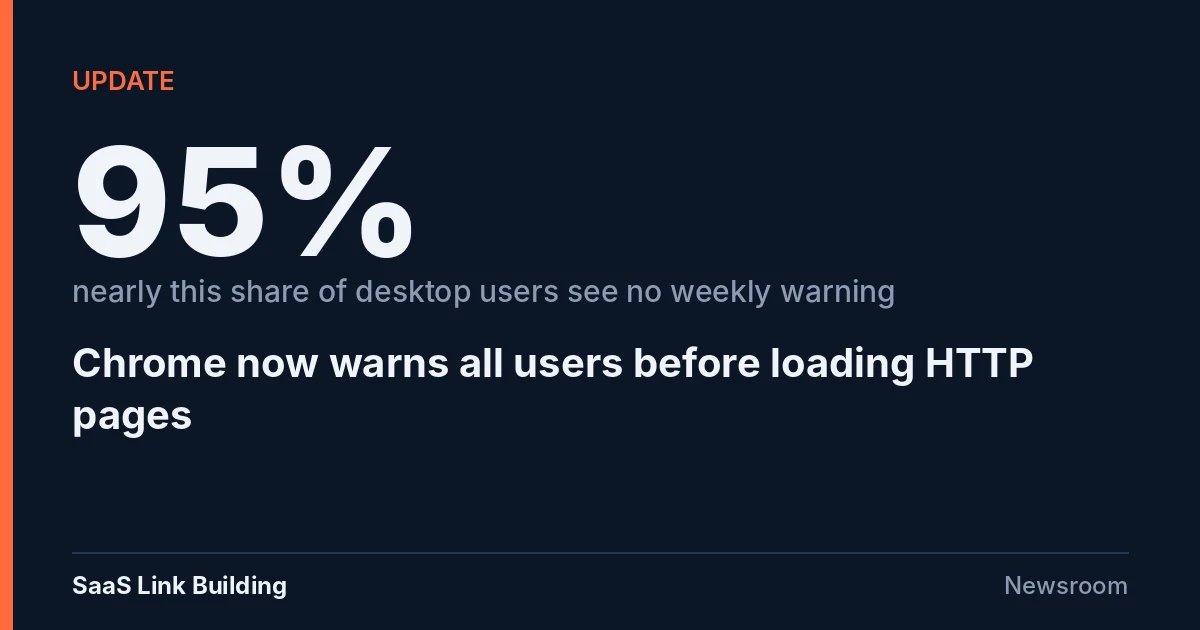
Google Chrome now asks every user for permission before opening an unencrypted HTTP connection to a public website, Google said on 21 October 2026. The Always Use Secure Connections setting, previously limited to Enhanced Protection users, is now on by default, and early data shows nearly 95% of desktop users see no warning in a typical week.
 Vibhu Dhariwal
Cofounder & CTO, Digital Gratified
- Published
- Section
- Updates
- Reading time
- 5 minutes
Ras Al Khaimah, United Arab Emirates, .
Google Chrome now asks every user for permission before it opens an unencrypted HTTP connection to a public website, the Chrome Secure Web and Networking team said in a post on Google's blog on 21 October 2026. The setting, called "Always Use Secure Connections", had been on only for people using Safe Browsing's Enhanced Protection mode earlier this year. It is now the default for all users.
For site owners, the change turns a long-running best practice into a visible user experience issue. A visitor who reaches an HTTP-only page they have not opened recently will now see a Chrome prompt before the page loads, and has to approve the connection to continue.
What changed
- Default for everyone: Chrome now prompts before making an insecure HTTP connection for all users, not only those in Enhanced Protection, according to the 21 October post.
- Once per site, with a two-week memory: after a user approves HTTP for a site, Chrome does not warn again unless the user goes two weeks without visiting it.
- Private hosts are excluded: warnings are not shown for hosts that cannot get a publicly trusted HTTPS certificate, such as single-label intranet names and local IP addresses used by home routers.
- Low warning volume so far: Google's early data shows nearly 95% of desktop users see no HTTP warning in a given week and fewer than 1% see three or more. Mobile warning rates are lower.
The authors wrote that Chrome "explicitly asks users for permission before making an insecure HTTP connection." The post does not name the Chrome version that carries the change.
How the rollout reached this point
Google set out the plan a year ago. In a post titled "HTTPS by default" dated 28 October 2025, Chrome said it had tested the public-sites version of the setting with a small share of users in Chrome 141, would enable it for Enhanced Safe Browsing users in Chrome 147 in April 2026, and would make it the default for all users in Chrome 154 in October 2026. The 21 October 2026 announcement completes that schedule.
| Stage | Who got the HTTP warning | Timing given by Google |
|---|---|---|
| Chrome 141 experiment | A small percentage of users | Before October 2025 |
| Chrome 147 | Users opted in to Enhanced Safe Browsing | April 2026 |
| Chrome 154 plan | All users, by default | October 2026 |
| 21 October 2026 announcement | All users, by default | Live now |
The 2025 post also explained why Google moved now. HTTPS use on Chrome navigations rose from roughly 30% to 45% in 2015 to about 95% to 99% around 2020, then largely plateaued. Counting public sites only, the post said HTTPS share on Linux rises from 84% to nearly 97%, Windows from 95% to 98%, and Android and Mac above 99%. In Chrome's earlier experiment, warnings were well under 3% of navigations, the median user saw fewer than one warning a week, and the 95th percentile user saw fewer than three.
Google also said that many HTTP sites use HTTP only for a first navigation that immediately redirects to HTTPS. Those redirects are the kind of request that can now trigger a prompt, which is why HSTS and correct internal links matter more than before.
What this means for SEO teams
Google Search has used HTTPS as a ranking signal since it announced it in August 2014. The Chrome change adds a separate, user-facing cost: a warning screen between a click and the page. Any visitor who lands on an HTTP address, whether from an old backlink, a printed URL, an email template or a stale internal link, can now be stopped before your page renders.
That matters most for older sites with legacy HTTP links pointing at them, for SaaS products that run marketing pages on HTTPS but leave subdomains such as docs, status pages or old help centres on HTTP, and for campaign or tracking domains that bounce through an HTTP hop.
What to do
- Turn the setting on yourself. Google's 2025 post recommends enabling "Always Use Secure Connections" in Chrome now to find sites and flows that still need to move. Click through your main templates, login, checkout and docs with it on.
- Find HTTP hops in redirect chains. Crawl your site and your top backlink targets and flag any chain that passes through an http:// URL, including redirects from tracking or link-shortening domains you control.
- Serve HSTS on the main domain. A Strict-Transport-Security header lets returning browsers upgrade requests to HTTPS before the first HTTP request is made, which removes the redirect that could otherwise trigger the warning.
- Fix internal links and canonicals. Make sure internal links, canonical tags, hreflang annotations and XML sitemaps use https:// addresses only.
- Audit subdomains. Check docs, status, community, careers and regional subdomains. Each one is a separate host and is judged on its own.
- Watch referral and bounce data. If a part of your site still serves HTTP, compare engagement on those pages before and after the change to see whether the prompt is costing visits.
Intranet tools on single-label hostnames and devices on local IP addresses are excluded from the warnings, according to Google, so internal systems of that kind should not see prompts.
For background on how Google treats a site that is temporarily offline or misconfigured during security work, see our earlier report on serving a 503 while patching PHP's critical flaws.
Conclusion
Chrome has finished the HTTPS by default schedule it announced in October 2025: every user now gets a permission prompt before an HTTP connection to a public site. Google's own data suggests most people will rarely see one, which also means any site that still triggers it will stand out.
The practical fix is the same as it has been for a decade, now with a clearer reason to finish it: remove every HTTP hop from your redirects, links and subdomains, and confirm the result with the Chrome setting switched on.
Questions and answers
What did Chrome change on 21 October 2026?
Google said Chrome now asks all users for permission before making an insecure HTTP connection to a public site. The Always Use Secure Connections setting was previously on only for Enhanced Protection users.
How often will users see the HTTP warning?
Chrome warns the first time a user visits an HTTP-only site. After approval it does not warn again unless the user goes two weeks without visiting. Google's early data shows nearly 95% of desktop users see no HTTP warning in a given week.
Are intranet sites and routers affected?
No. Google says warnings are not shown for hosts that cannot get a publicly trusted HTTPS certificate, such as single-label intranet hostnames and local IP addresses.
Was this change announced in advance?
Yes. Google's October 2025 post "HTTPS by default" said the setting would reach Enhanced Safe Browsing users in Chrome 147 in April 2026 and all users in Chrome 154 in October 2026.
More releases
-
Industry news
ChatGPT Ads Expands to 26 More Countries, Reaching 89 Markets and More Than 100,000 Advertisers
OpenAI said on 21 October 2026 that ChatGPT ads are expanding to 26 more countries, 14 of them in Latin America, for a total of 89. More than 100,000 advertisers have run campaigns since ads launched just over eight months ago, and ChatGPT now has more than 1.2 billion weekly users.
-
Explainers
Google Discover Filters Stale Stories Before Ranking, Paper Says; User Staleness Reports Fell 54.9%
A research paper by six Google engineers describes SDF, a system deployed in Google Discover that removes articles overtaken by newer coverage or past their useful life before ranking. Over a two-year deployment, user-filed staleness reports fell 54.9%, the paper says. Google has not announced SDF beyond the paper.
-
Studies
AI Overviews Now Appear on 88% of 400 Commercial Keywords, Up From 45.75% a Year Ago, Semrush Study Finds
Google showed an AI Overview on 88% of 400 US commercial keywords in August 2026, up from 45.75% in September 2025, according to a Semrush study published on 21 October. Reviews searches rose the most, and weighted by search volume, coverage reached 97.08% of commercial demand in the panel.
Tell us the site and the goals.
Rankings in Google and visibility in AI answers, from one monthly plan. One call is enough to say which one fits. Email works just as well.